

Everyone wants to ship agents.
The best organizations have figured out how to do it repeatedly, safely, and systematically. They ship early, learn from real usage, and iterate quickly. They don’t treat agents as one-off demos or isolated projects.
Instead, they’ve built an agent development lifecycle that creates momentum by turning experimentation into a repeatable system for shipping, learning, and improving over time.
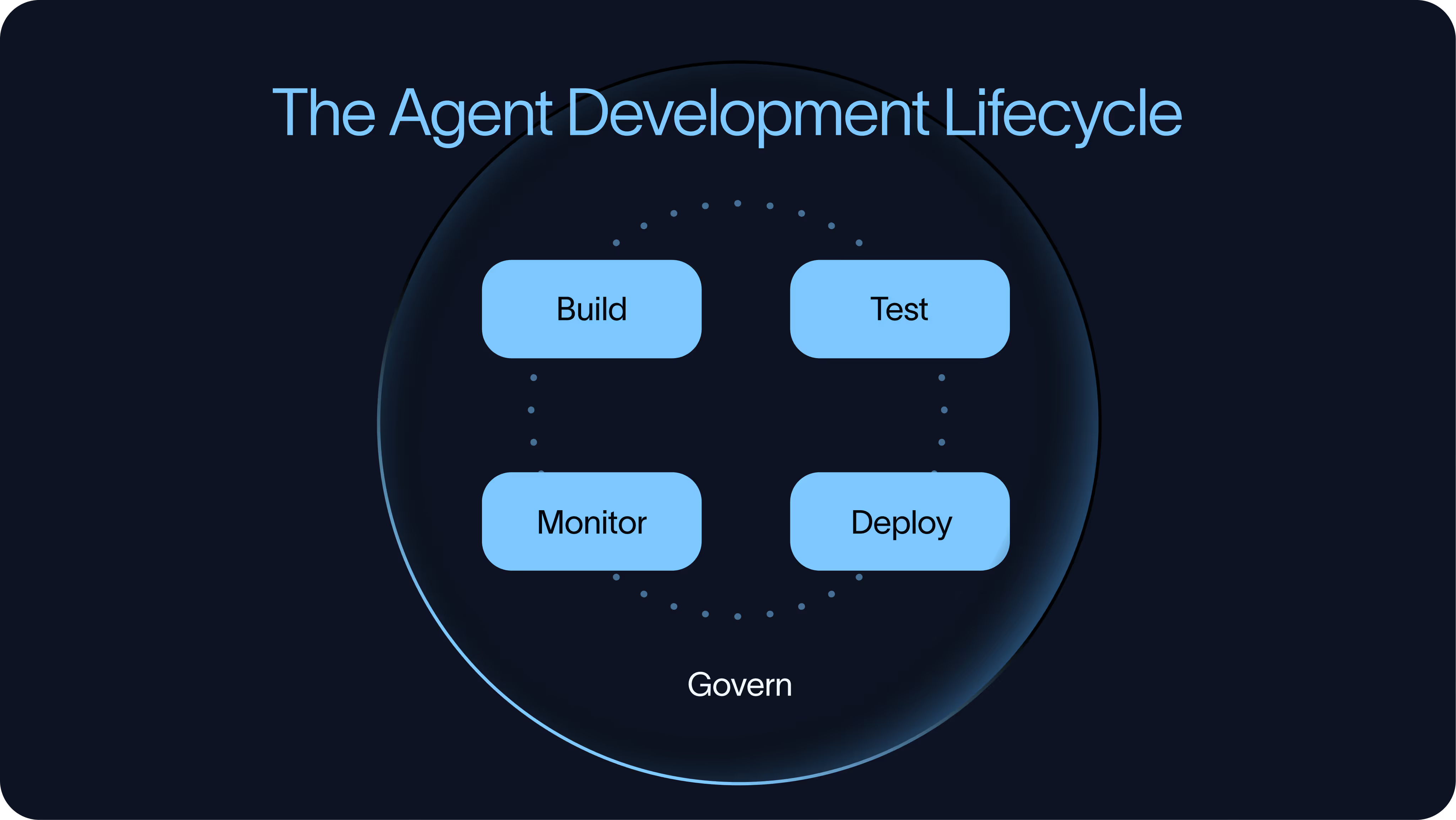
That lifecycle has four parts:
Build → Test → Deploy → Monitor
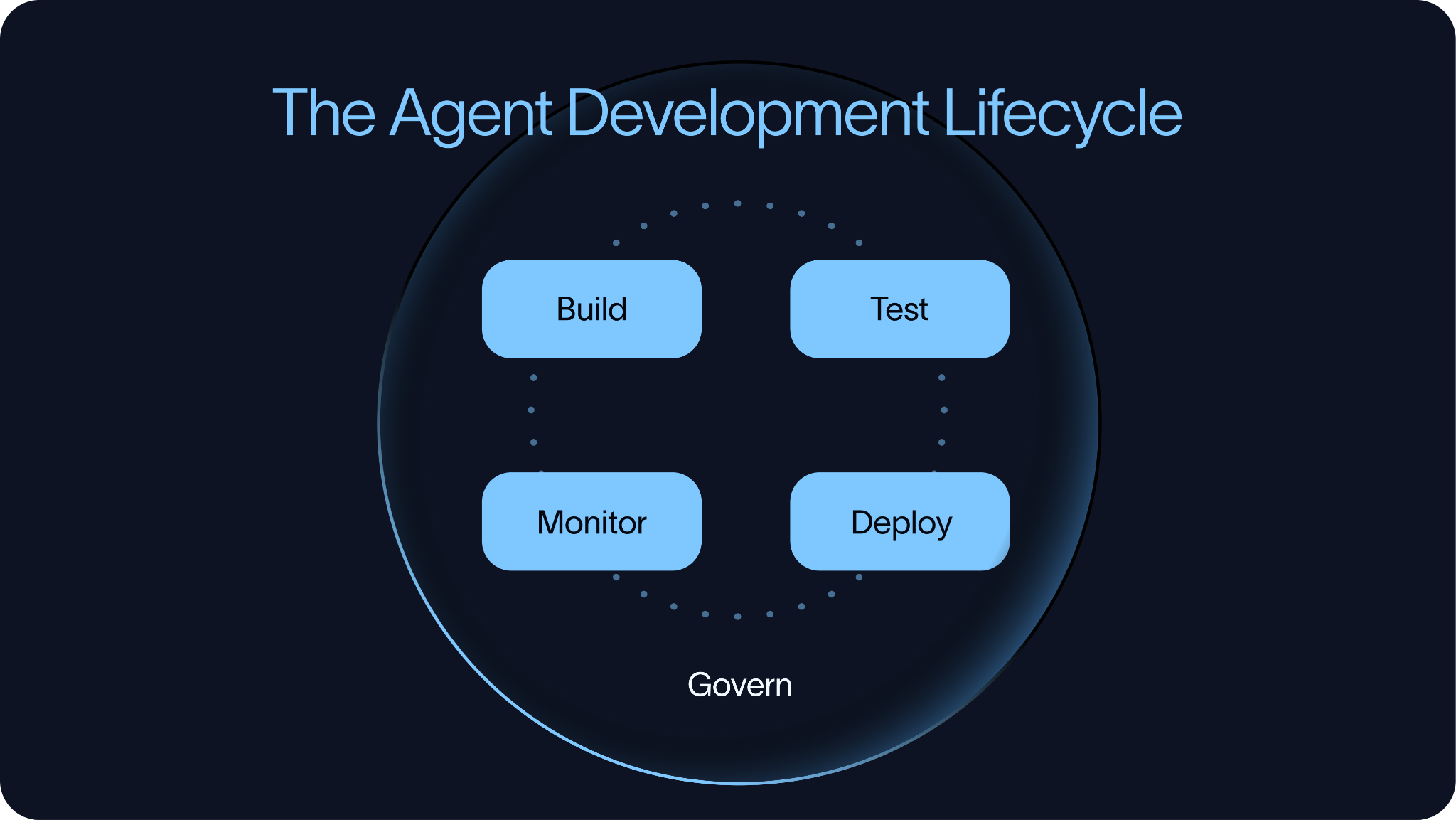
The order is intentional. Testing should start before an agent reaches production, not after. Teams need to test the agents before deployment, deploy them in a controlled way, monitor how they behave in production, and feed those learnings back into the next build and evaluation cycle.
For a single agent, this process can stay lightweight. Across many agents, it becomes an infrastructure and governance challenge. Teams need shared ways to control cost, manage tool access, inspect tool calls, reuse context, and decide where humans need to be involved.
The difference between getting an agent to work once to building agents as a repeatable practice comes from having the right development lifecycle in place.
Build
The build phase is where teams decide what kind of agent system they are creating and what level of abstraction they want to use.
There is a wide range of tooling here. Some tools are code-first, while others are no-code or low-code. Some focus on abstractions, while others focus on giving agents a working environment with prompts, tools, skills, and state.
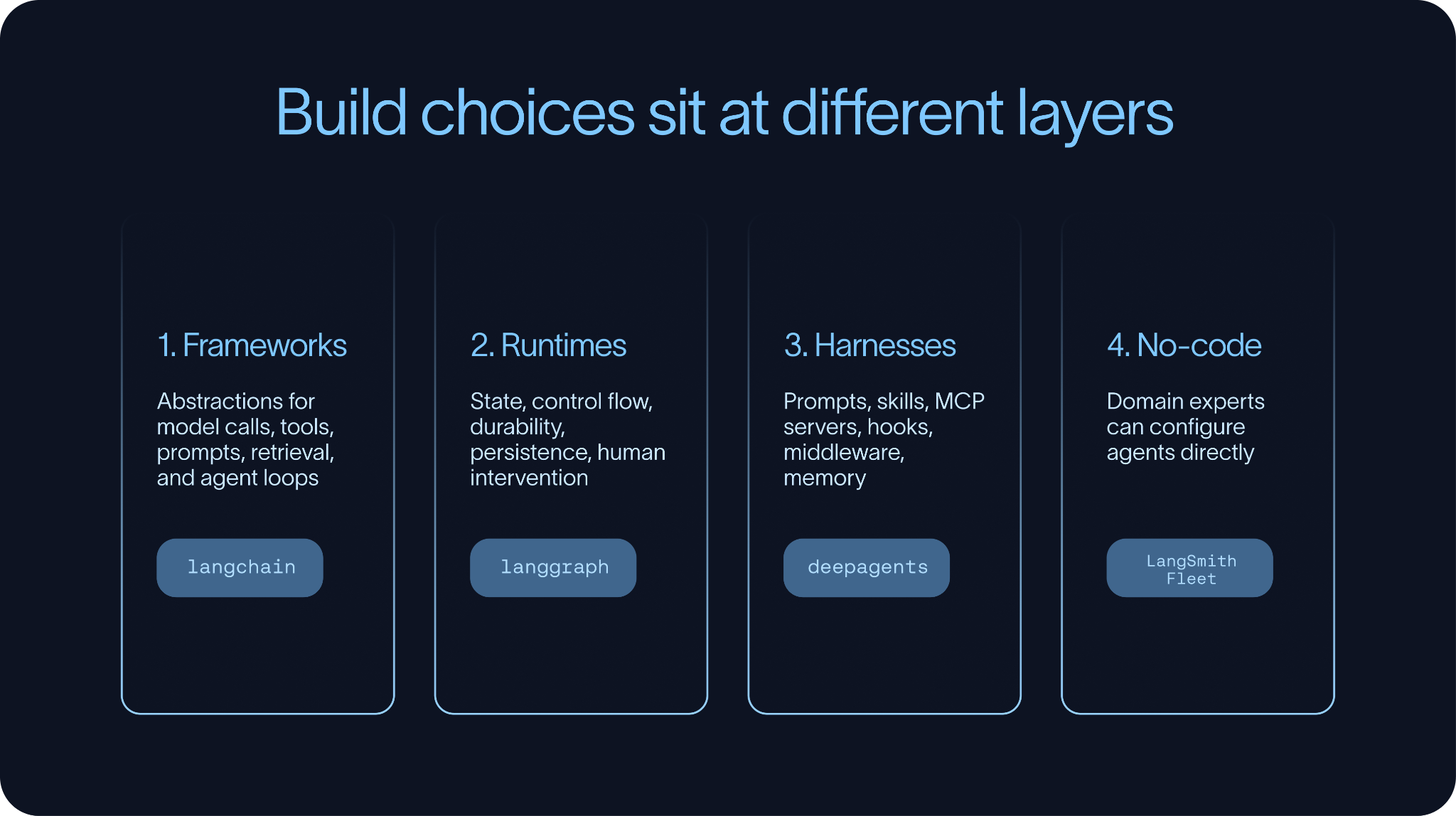
On the code-first side, teams often reach for open-source frameworks and harnesses. In the LangChain ecosystem, that includes LangChain, LangGraph, and Deep Agents. Outside of LangChain, examples include CrewAI and Claude Agents SDK.
These tools operate at different layers of the stack.
Agent frameworks focus primarily on abstractions. They help developers compose model calls, tools, prompts, retrieval, structured outputs, and agent loops. LangChain and CrewAI are examples in this category.
Agent runtimes focus on execution. They support agents that need state, control flow, durability, and human intervention. LangGraph is the clearest example in the LangChain ecosystem. It gives you a way to build agentic systems that can branch, loop, pause, resume, and persist state over time.
Agent harnesses focus on doing. They provide the surrounding structure agents need for longer-running tasks: prompts, skills, MCP servers, hooks, middleware, and sometimes a filesystem. Deep Agents and the Claude Agent SDK are examples of this pattern.
These distinctions matter because “building an agent” can mean different things.
For a simple application, it may only involve defining a tool-calling loop. For a more sophisticated agent, it may involve writing prompts, defining skills, connecting MCP servers, configuring middleware, and setting up context the agent can retrieve or update over time.
No-code building
There is also a no-code and low-code side of the build phase. Tools like LangSmith Fleet, Claude Cowork, and n8n allow more people to participate in agent development. That matters because the person who understands the workflow needed is not always the person who writes the code.
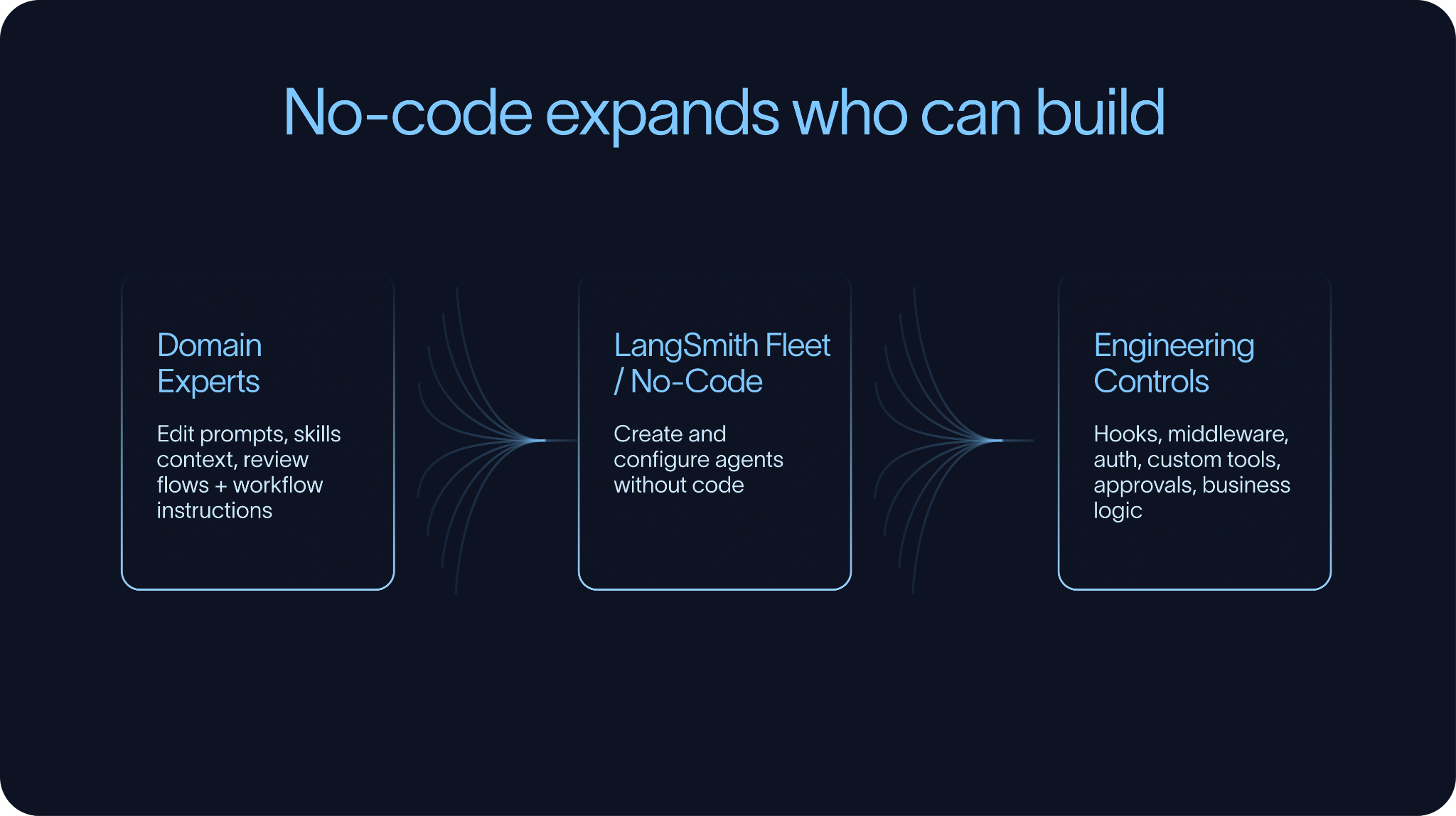
At the same time, no-code tools do not eliminate the need for engineering control. As systems become more complex, teams usually need ways to extend or override behavior in code. Hooks and middleware are especially important here because they allow teams to add custom logic around tool calls, context handling, approvals, auth, or business rules without rebuilding every agent from scratch.
The best build environments make simple things simple and complex things possible. They let domain experts edit prompts, skills, and context, while still giving engineers control over the parts that need to be reliable, testable, and governed.
Test
Before an agent is deployed, teams need a way to determine whether it is actually ready.
That does not mean building a perfect eval suite before anyone uses the agent. In practice, that is rarely realistic. It does mean having enough evals in place to catch obvious failures, compare versions, and avoid shipping changes blindly.
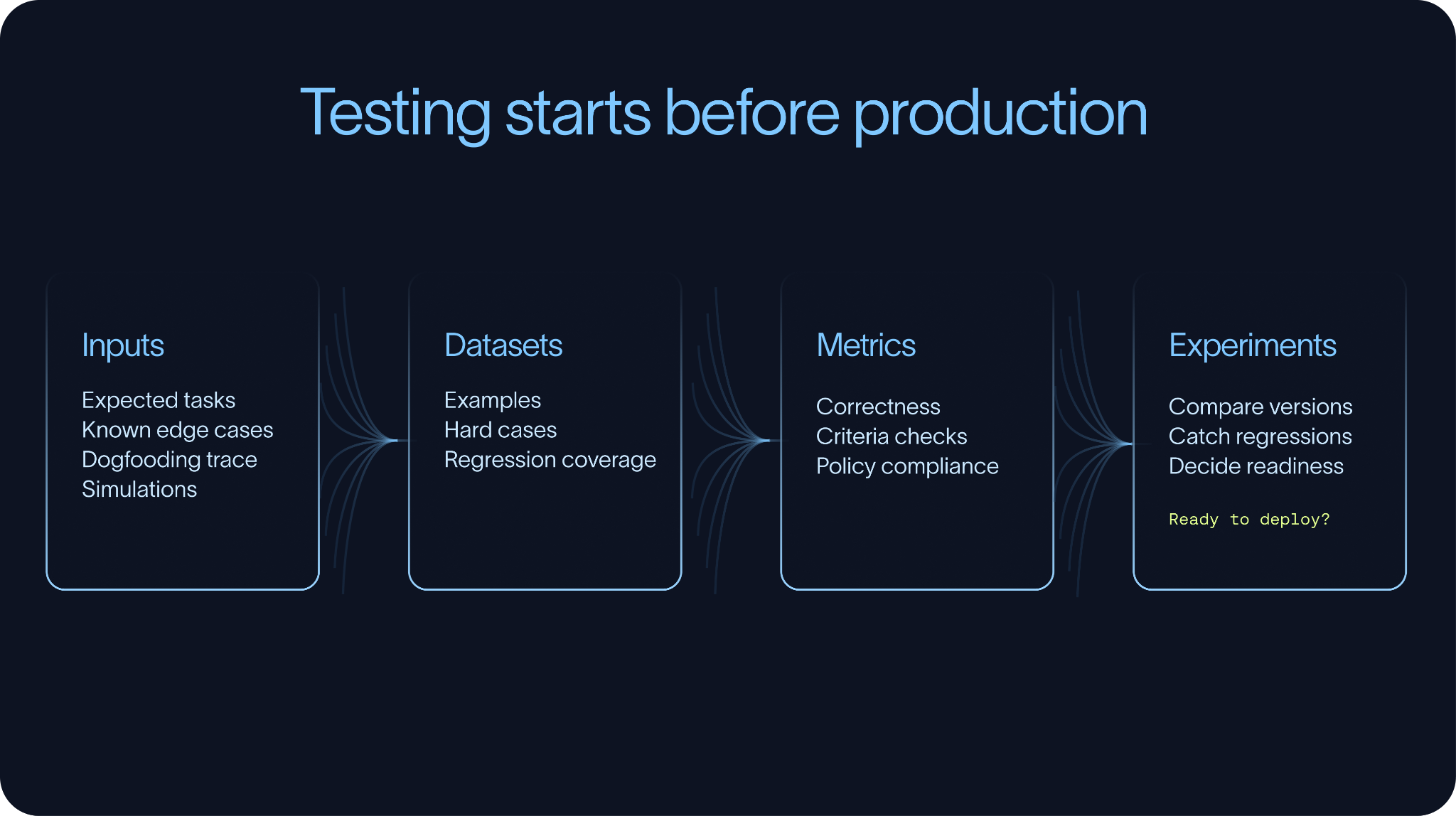
Most eval workflows start with a small dataset of representative tasks. Some examples come from expected use cases, while others come from manual testing, dogfooding, support tickets, prior traces, or known edge cases. Over time, production traces make these datasets much stronger, but testing should start before production.
Datasets and metrics
Datasets are how teams preserve what they learn. Without them, the same failures tend to reappear after prompt changes, model upgrades, or tool updates.
The right metrics depend on the task.
In some cases, there is a clear ground truth answer. Did the agent extract the right value? Did it choose the right label? Did it update the right field? These tasks can be measured directly for correctness.
Other times, there is no single ground truth answer. An agent may need to write a response, summarize a conversation, decide whether to escalate, or complete a task with many valid paths. In those cases, teams rely more on criteria-based evaluation. The questions become whether the response was grounded, whether the agent followed policy, whether it asked for clarification, or whether it completed the task efficiently without unnecessary tool calls.
Experiments
Experiments are what connect datasets and metrics to iteration. They allow teams to compare prompts, models,retrieval strategies, tool schemas, and orchestration patterns against the same evaluation set. . Over time, these experiments show whether the agent is improving or regressing.
The goal is not to create a perfect eval suite on day one. The goal is to start with a useful one and continuously improve it. The most valuable eval datasets are built from the hardest examples: first from development and dogfooding, then later from production.
Simulations
Simulation is another important part of testing.
Many agents are multi-turn systems. They do not just answer one question; they have a conversation, gather information, call tools, update state, and recover from ambiguity. For those agents, single-turn evals are not enough. Teams need multi-turn evals and simulated end-to-end interactions.
Voice agents are an obvious example, but the pattern is broader. Any agent that operates over a sequence of turns may need simulation. A support agent may need to handle a frustrated customer, ask follow-up questions, check order status, and decide whether escalation is necessary. A coding agent may need to inspect a repository, make changes, run tests, and respond to feedback. An internal operations agent may need to gather missing information before taking action.
Good testing practices help teams improve agents systematically without relying on vibes. They turn expected behavior into datasets, datasets into experiments, and experiments into better versions of the system. After deployment, monitoring supplies the real-world examples that make those evals stronger.
Deploy
Once an agent has been built and evaluated, it needs an environment where it can reliably run.
For simple agents, deployment may look similar to deploying a traditional application. But many agents need more than a stateless server. They run over longer periods of time, call tools, wait for human input, write files, recover from interruptions, and maintain state across multiple interactions or tasks.
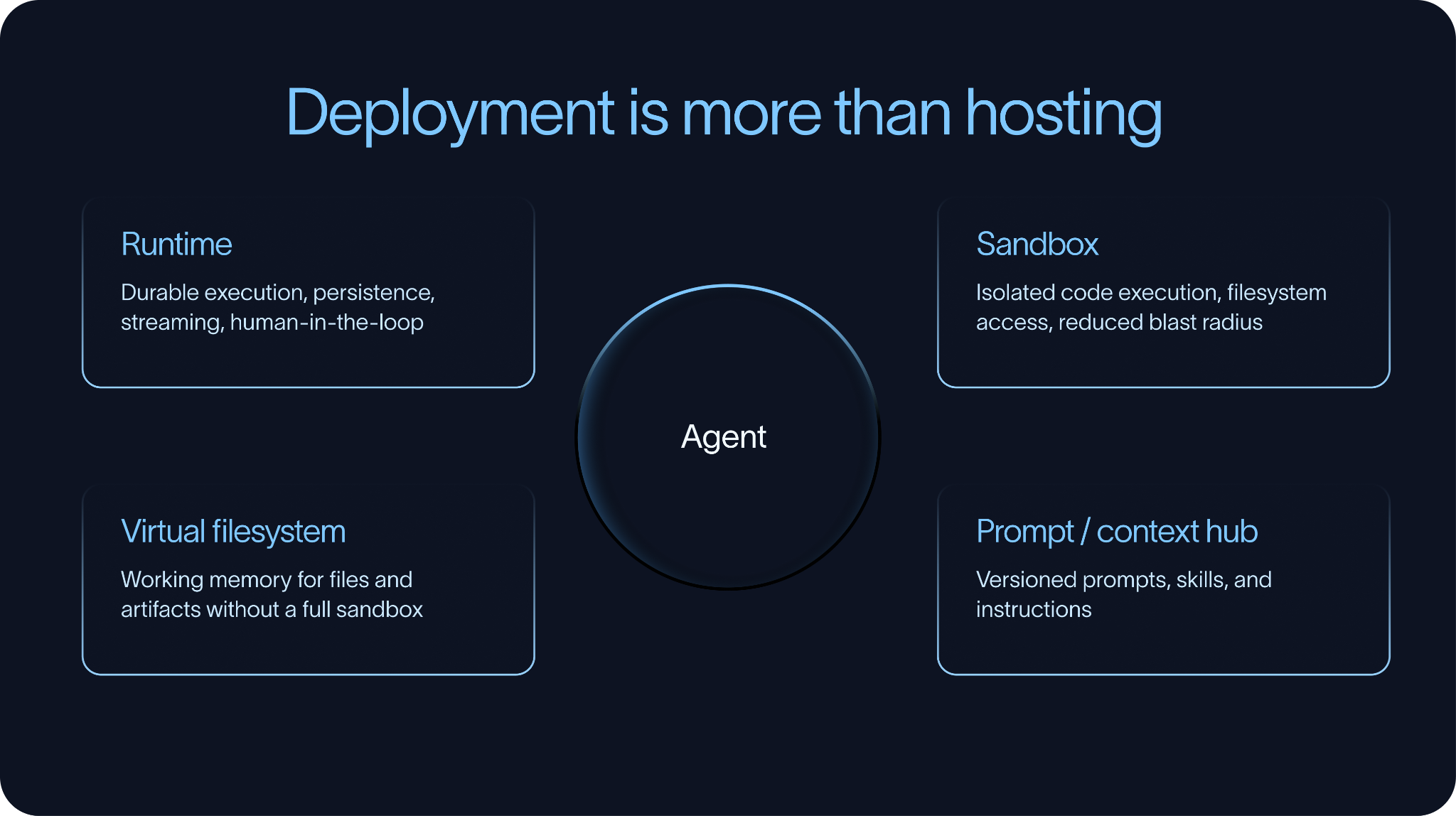
That is why the runtime matters.
A production agent runtime typically needs to support durable execution and human-in-the-loop patterns. Durable execution means the agent can checkpoint progress and resume instead of losing work when something fails. Human-in-the-loop means the agent can pause when it needs approval, clarification, or review.
There are off-the-shelf solutions for this. LangSmith Deployment provides infrastructure for deploying and managing Deep Agents and LangGraph agents. AWS AgentCore is another example of a managed runtime for agents. Some teams also build their own runtime on top of systems like Temporal, especially when they already use Temporal for long-running workflows elsewhere in the stack.
Sandboxes
Many agents also need dedicated execution environments.
Agents increasingly need to write code, execute code, inspect files, transform documents, or interact with a filesystem. In those cases, teams need to decide where that work happens. Sandboxes are a common solution. They provide isolated execution environments with filesystem access, while reducing the blast radius of mistakes or unsafe behavior.
Examples include LangSmith Sandboxes, Daytona, and E2B.
Not every agent requires a full sandbox. In some cases, the agent just needs a place to store and retrieve files. A virtual filesystem can be enough. Deep Agents supports this pattern by allowing agents to use files as working memory without necessarily executing arbitrary code inside a sandbox. Underneath, that filesystem might be backed by systems like Postgres or S3.
Context Hub
Another often overlooked part of deployment is managing prompts and context.
Some of the most important parts of an agent are not traditional application code. Prompts, retrieval context, skills, and task instructions may need to change more often than the application itself. They may also need to be edited by people who are not engineers.
That creates the need for a prompt or context hub: a place to store, version, review, and update the non-code parts of the agent. This allows teams to adjust agent behavior without a full deploy, and it lets domain experts own the context they understand best.
In practice, deployment is not just about putting an agent on a server. It is about giving the agent the runtime, execution environment, and context management systems it needs to do real work.
Monitor
Once agents are deployed, teams need visibility into how they actually behave in production.
This is where monitoring agents differs from monitoring traditional software. Metrics like latency, cost, error rates, and uptime still matter, but they are only part of the picture. An agent can return a technically successful response and still fail the task itself. It may call the wrong tool, rely on the wrong context, skip a required approval step, or produce an answer that sounds plausible but is wrong.
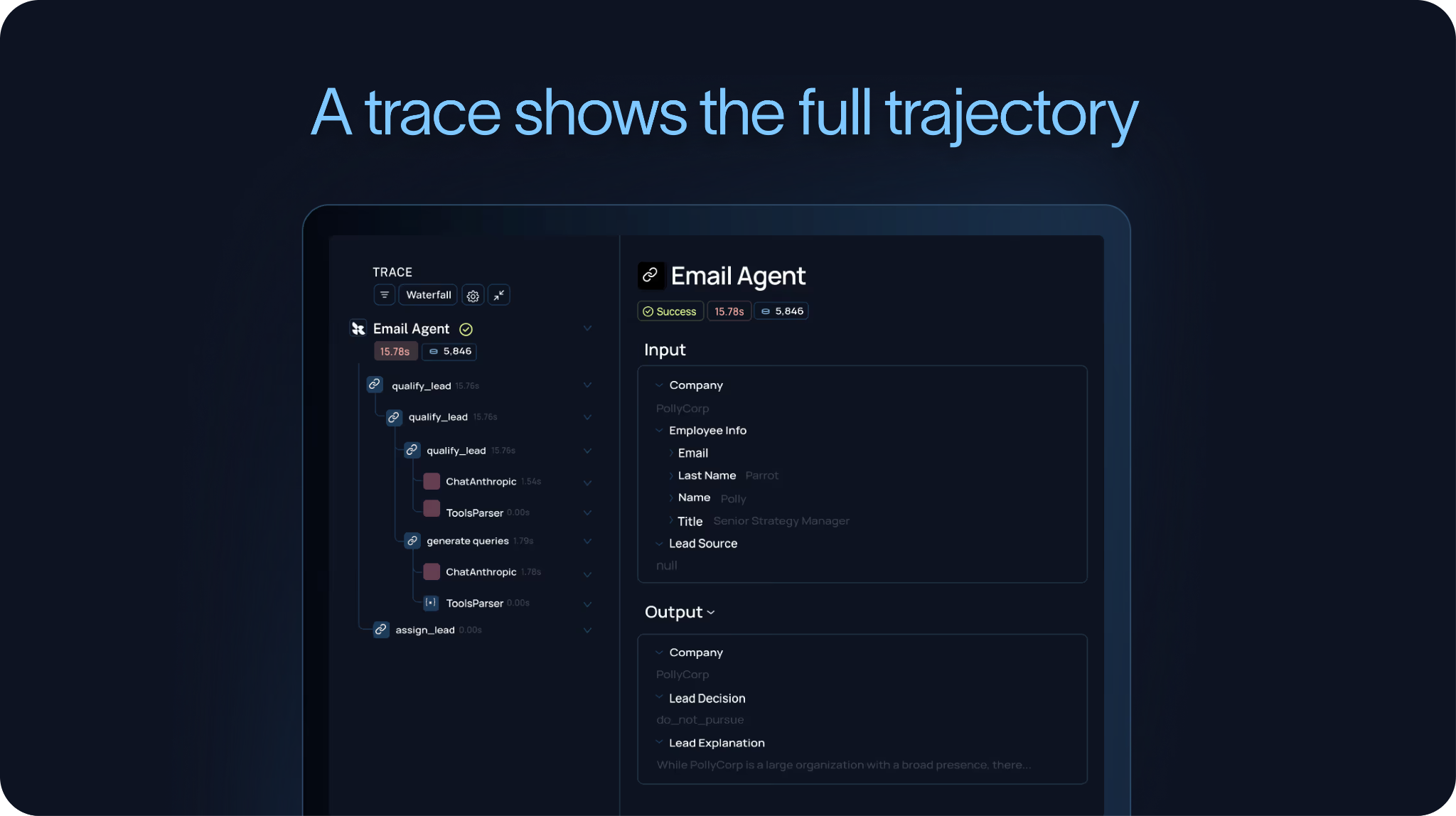
To understand those failures, teams need traces.
A trace captures the full trajectory of the agent: the inputs it received, the model calls it made, the tools it invoked, the outputs it received, and the final response or action it produced. This is the level of detail you need to understand what the agent actually did.
This is why we have argued that agent observability powers agent evaluation, and why the agent improvement loop starts with a trace. If you cannot see the trajectory, you cannot reliably debug the behavior or turn those failures into future evals.
Signals
Monitoring should also include harvesting signals from those traces.
Some of those signals can come from LLM-as-judge evaluators. For example, a judge can score whether the agent answered the user’s question, followed policy, used the right tone, or completed the task. Other signals can be simpler. A regex can catch whether a required phrase appeared, whether a forbidden tool was called, or whether a known failure pattern occurred.
These signals are useful for more than just quality checks. They can also become a form of product analytics. They can tell you which tasks users are asking agents to do, where agents are getting stuck, how often users correct them, and where users perceive errors.
Feedback
Feedback is another core part of monitoring.
It is not enough to store traces alone. Teams also need to store feedback with those traces. That feedback can come from LLM judges, regex-based signals, human reviewers, or direct user feedback collected through an API. In LangSmith, for example, teams can attach user feedback directly to the underlying run, making it easier to connect “the user was unhappy” to “the agent used the wrong tool three steps earlier.”
Dashboards
Finally, teams need dashboards and alerts that can surface trends over time.
A useful agent dashboard tracks metrics like usage, feedback, latency, cost, tool calls, evaluator scores, and recurring failure patterns. Alerts should trigger when important thresholds are crossed, such as rising latency, increasing costs, failing tools, declining user feedback, or spikes in policy violations.
Good monitoring is not just about knowing whether the system is up. It is about understanding whether the agent is doing the right work, in the right way, and improving over time.
The strongest monitoring systems feed directly back into evaluation. Important traces become dataset examples, recurring failures become metrics, and production behavior becomes the foundation for the next round of improvement.
Iterate
The best organizations move through the agent development lifecycle quickly and systematically.
They do not wait for a perfect agent before shipping. Instead, they build something useful, test it enough to understand its behavior, deploy it in a controlled way, monitor how it performs in production, and feed those learnings back into the next version.
That does not mean shipping carelessly. The key is having visibility.
Teams with datasets, experiments, tracing, feedback, and dashboards can learn directly from real real usage. They can test changes before rolling them out broadly, identify what broke in production, turn failures into evals, and improve the agent without relying on guesswork.
This is how teams hill-climb, and how agent systems improve over time.
The most effective teams find the hard examples, understand why the agent failed, and adjust the prompt, tool configuration, retrieval strategy, model, middleware, or workflow. They re-run the evals, deploy the better version, and monitoring gives them the next edge cases and failures.
Inside an enterprise, the challenge is making that loop repeatable across teams.
If every team has to build its own evaluation framework, deployment infrastructure, tracing system, feedback pipeline, and dashboards from scratch, agent development will move slowly. The most effective organizations invest in shared infrastructure so teams can move through the lifecycle without constantly reinventing the underlying systems.
That is what makes the agent development lifecycle an operational practice.
Govern
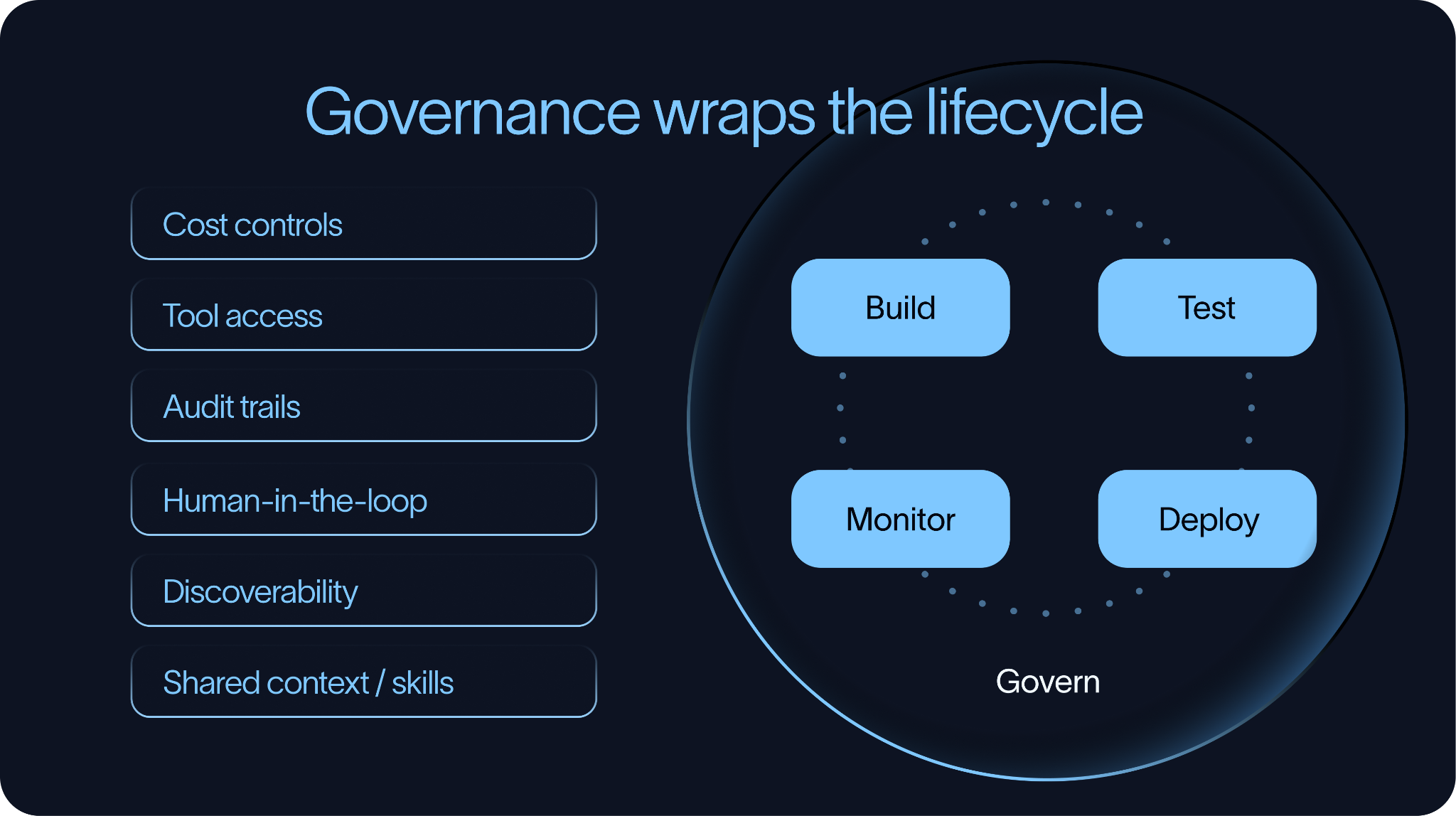
Governance sits around the entire agent development lifecycle.
For a single agent, lightweight controls may be enough. As organizations deploy more agents, governance becomes necessary. Without it, teams quickly end up with agents that are difficult to discover, difficult to monitor, expensive to run, and unclear in what they are allowed to do.
Cost
The first governance challenge is cost.
Agents can become expensive because they may involve multiple model calls, long context windows, repeated tools usage, retries, or run for a long time. Organizations need ways to track and manage that spend through budgets, usage monitoring, alerts, and visibility into which agents, teams, models, or tools are driving costs.
Tool Access
The second governance challenge is tool access.
Agents are useful because they can take action, but that also introduces risk. Teams need clear controls around which tools an agent can access, under what conditions, and on behalf of which users.
This is where audit trails become important. If an agent calls a tool, organizations should be able to inspect which agent made the call, what inputs it used, what outputs it produced, and what user or policy authorized the action. Tool calls are often where agent behavior drives business impact, so they need to be observable and reviewable.
Human-in-the-loop is another important governance mechanism.
Not every tool call should be fully automated. Some operations should pause for human review, especially when they involve customers, financial systems, sensitive data, or production infrastructure. Human-in-the-loop workflows work best when they are designed into the system from the beginning.
Discoverability
The third governance challenge is discoverability and reuse.
As organizations build more agents, they also accumulate more reusable assets such as prompts, skills, tools, retrieval sources, policies, and even other agents. Without good discovery and governance mechanisms, teams tend to recreate these components repeatedly, leading to inconsistency. Shared context and shared agents need to be findable, reusable, and governed.
This is especially important for skills. A skill can encode a workflow, a writing style, a domain-specific procedure, or instructions for using a tool. If one team has already built a good skill, another team should be able to find it rather than write a new version from scratch.
Good governance is not about slowing teams down. It is about making fast iteration possible without losing visibility, control, or consistency as agent systems scale.
Conclusion
The best organizations have already started to operate this way. They ship early, but they do not ship blindly. They evaluate before deploying, monitor behavior after deployment, and continuously use what they learn to make the next version better.
That is what makes agent development repeatable. It is also what allows agents to move from demos into reliable production systems.
