
Key Takeaways
- Control input and output access: engineers can debug with run trees, performance statistics like latency and cost, and other trace data without seeing sensitive inputs and outputs
- Manage access by user groups: organize users into groups within LangSmith and set data access and workspace membership on a group-by-group basis
- Create trace-level policies: use root run metadata on your traces to determine which users can see them
You can’t run agents in production without governing the data they touch. When that data includes sensitive customer information, controlling access becomes a regulatory and contractual obligation. That puts engineering and security requirements at odds. Engineers need production traces to debug issues and improve agent performance. Security and compliance teams need to enforce least privilege: people should only see the data their job requires.
That’s why we’ve added three new controls to LangSmith to help teams manage access to sensitive trace data:
- Control who can see trace inputs and outputs (i.e., user messages and model responses)
- Manage team-by-team permissions with user groups
- Set trace-level access policies using metadata
Give engineers visibility while protecting customer data
Traces give engineers visibility into how an agent behaved and help them identify what needs to improve. When they record production activity, their inputs and outputs often contain sensitive customer data, such as names, health information, or payment details. Companies need to restrict access to this data to meet:
- Regulatory requirements – like GDPR, HIPAA, and CCPA – which require companies to limit who can access sensitive data, and hold companies liable if data leaks
- Customer contracts, which can add additional data management requirements by requiring compliance with frameworks like ISO 27001 or submitting to SOC 2 audits
These requirements have left teams with two options.
First, they can create custom observability setups with duplicate traces and multiple workspaces. Engineers get trace access, but platform teams have more to configure and maintain. The alternative is to avoid sending traces to observability platforms altogether, preventing agent engineers from having visibility and slowing product velocity.
We built these new controls so organizations can meet the needs of their engineering and security teams without the messy workarounds.
Here’s how it works. You send your traces to LangSmith with full data fidelity, then grant access to only those who need it. Debugging is handled with least privilege, so addressing performance issues like latency can be managed without exposing any sensitive data. If a customer reports an issue, you can grant access to only that customer’s inputs and outputs, and only to the people or teams required to address it. Everything is configurable through granular admin controls.
Restrict trace inputs and outputs
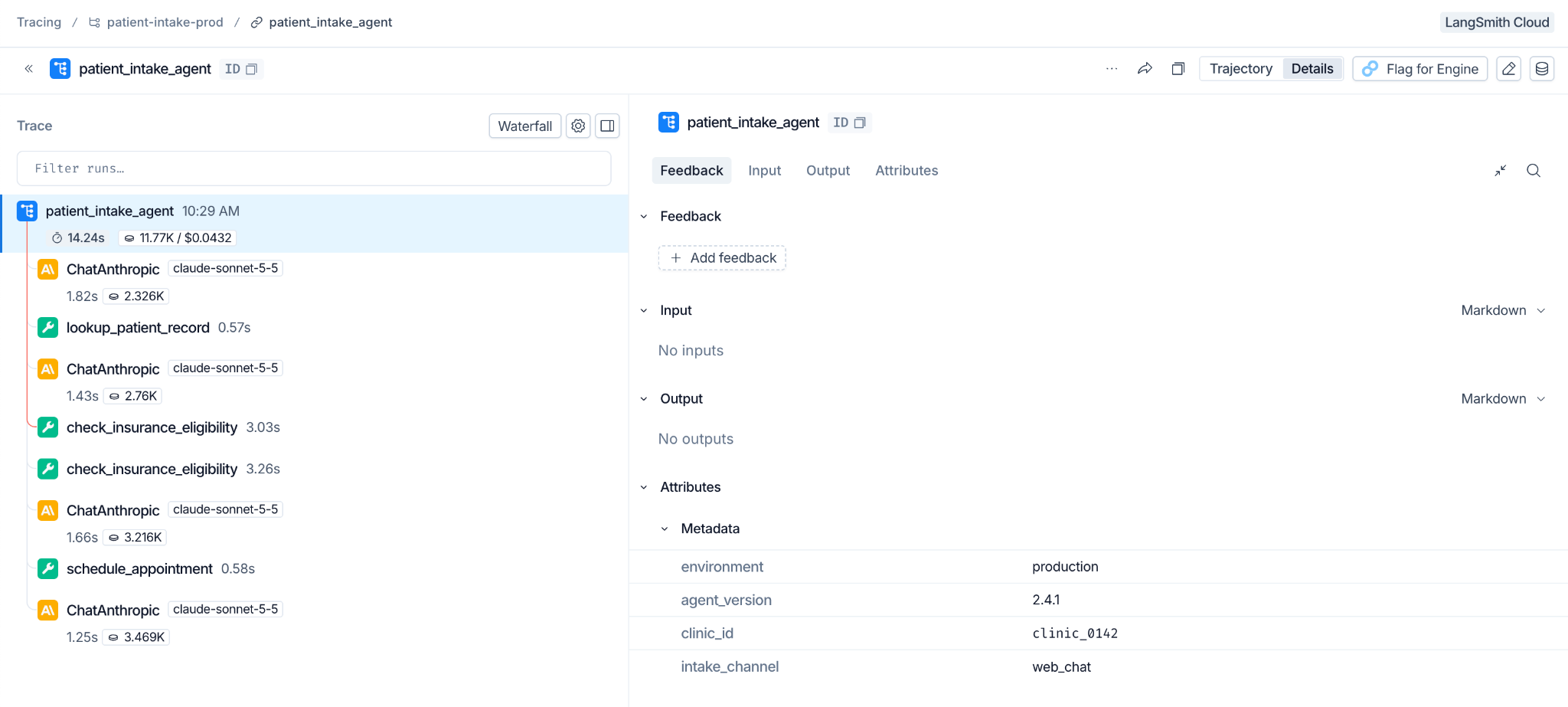
LangSmith’s new input and output controls give admins greater control over what portions of a trace users can see. Trace inputs and outputs are where sensitive user data most often resides. Other trace data like run trees, performance stats, and metadata are critical for agent improvement and far less sensitive.
With these controls, agent engineers can spot and resolve issues – like repetitive or slow tool calls – without seeing sensitive content, and those who need the full picture can be granted access as needed.
Manage access team-by-team
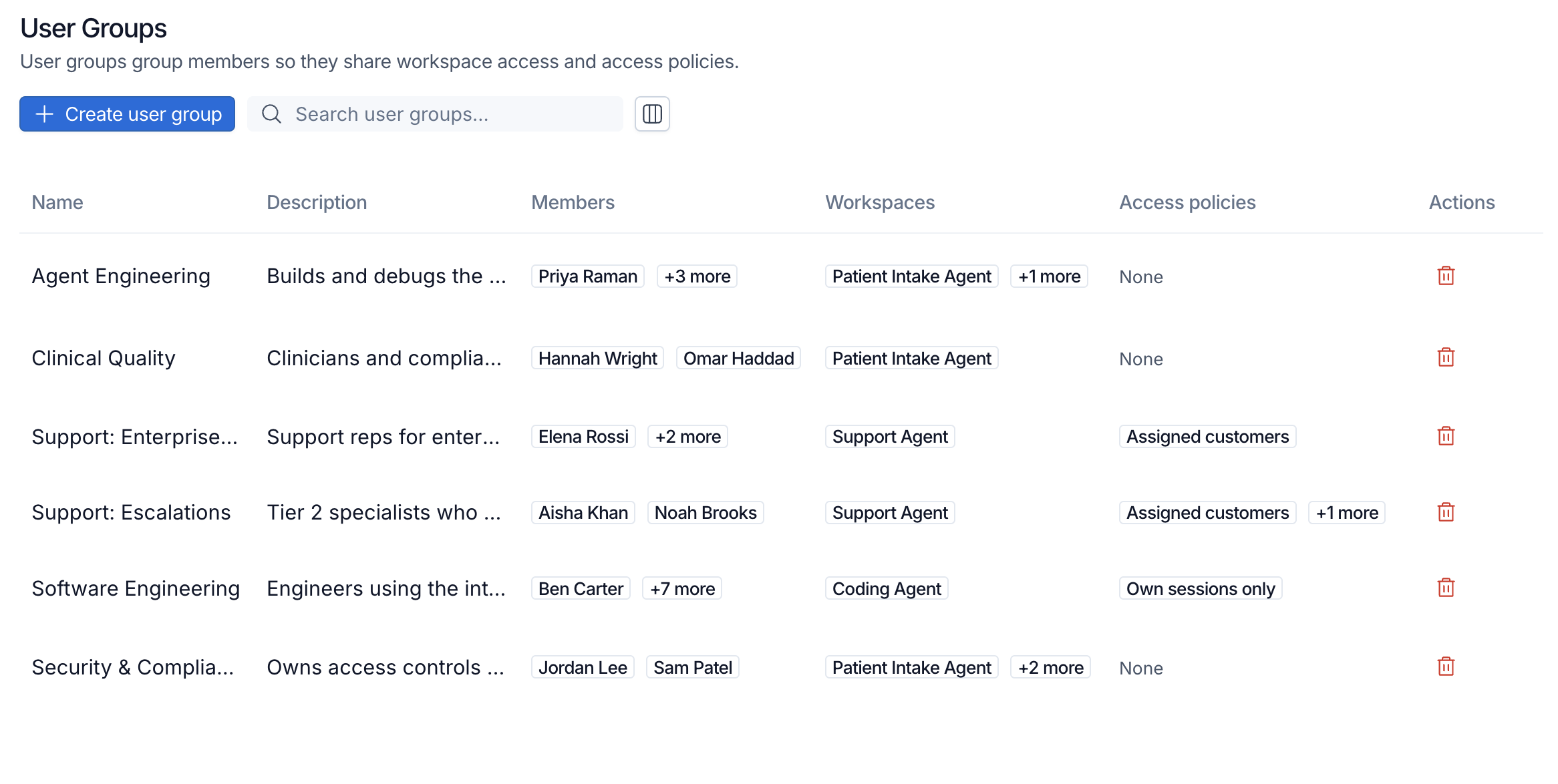
Admins can also organize users into groups in LangSmith. Each group has its own permissions, defined uniquely for each workspace, that layer on top of existing role-based access controls (RBAC) and attribute-based access controls (ABAC) used across the org. This allows admins to manage permissions in line with how their organization thinks about each team’s role.
As an example, clinicians could belong to a group that can view trace inputs and outputs for accurate trace annotation. Agent engineers could belong to a group that can only view run trees, latency, and token usage, giving them the data they need to improve their agent. These access policies preserve existing restrictions, such as different access policies for employees in different regions.
Set trace access policies from metadata
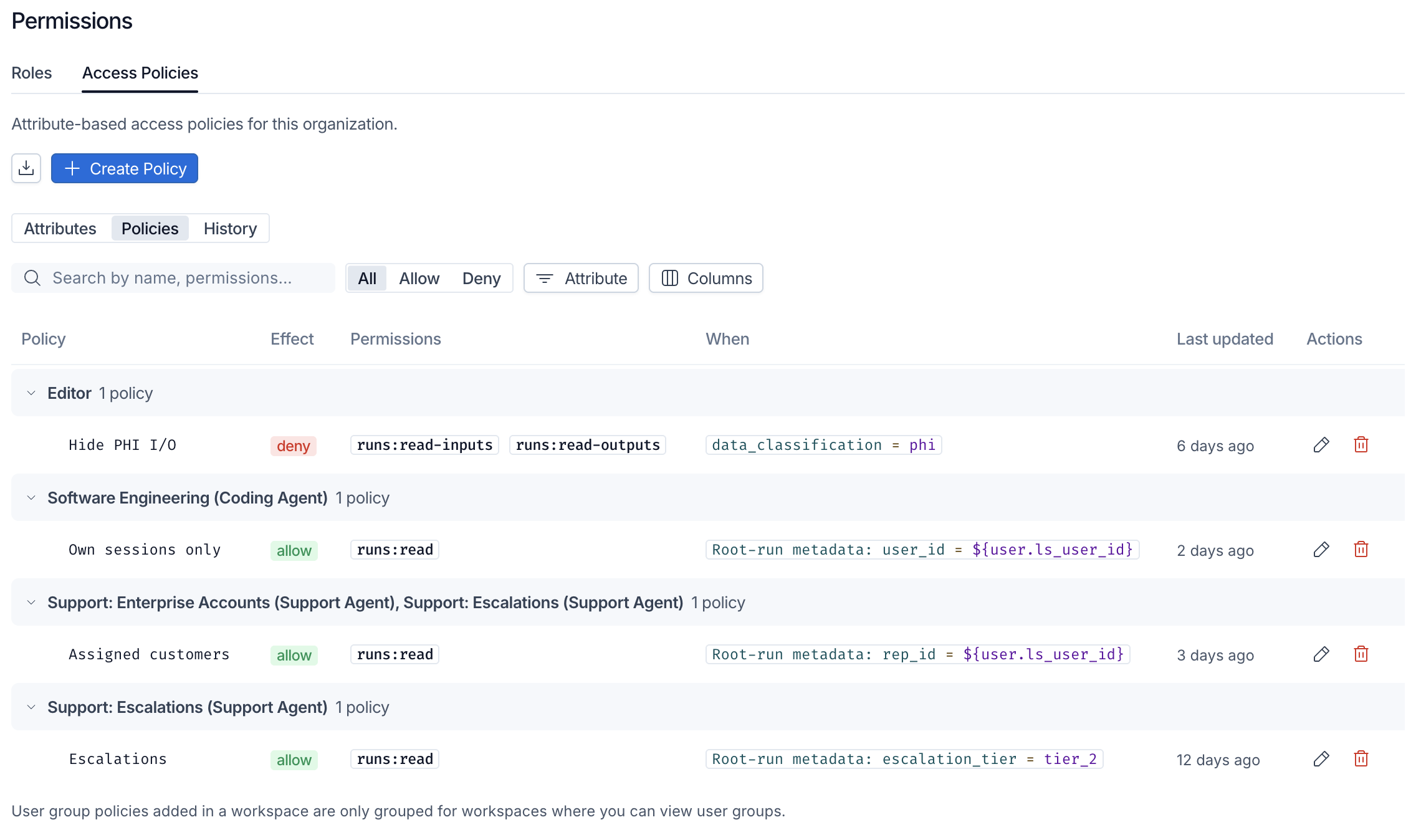
For finer-grained control, admins can define trace-level ABAC policies using root run metadata. Each policy checks the metadata on a trace and grants access based on the conditions you set.
This is LangSmith’s most granular level of access control, and it gives admins considerable flexibility to define controls based on their agent use case and data handling requirements. Admins can grant customer support agents access to only traces for the customers they support using customer IDs, or grant developers access to only their own coding agent traces based on their user ID.
If the relevant attribute is captured in root run metadata, it can be used to enforce least-privilege access.
Combine controls for least-privilege access
Each control is useful on its own, but they’re designed to be layered to manage access to production traces. Your agent sends traces to LangSmith with full data fidelity, and you attach root run metadata such as customer ID or user ID. LangSmith stores the complete traces without requiring redacted or duplicate copies. The aforementioned controls in LangSmith determine what each team can view.
For example, a support team can view inputs and outputs only for the customers it supports, while agent engineers can view run trees and performance data across all traces, with inputs and outputs hidden. When the support team takes on another customer, you can update its metadata-based policy without changing its input and output permissions or the engineering team’s access. Engineers get the visibility they need to improve the agent, and security ensures sensitive data stays with the people who should see it.
Get started
These new controls are now available in LangSmith Enterprise plans.
Existing customers can get started by reading our docs for input and output access, user groups, and metadata-based access policies.
If you’re new to LangSmith and interested in these controls, reach out to speak with our team.