.png)
LangSmith LLM Gateway
Control every
model call
LLM Gateway is the governance layer between your agents and model providers. Enforce spend limits, rate limits, model fallbacks, and sensitive data protection across any model or provider.








.svg)





Three ways to build,
from full harness to full control
Each package solves a different problem. Choose whereyou want to start, then compose the rest ofthestack around it.
Keep model costs within budget
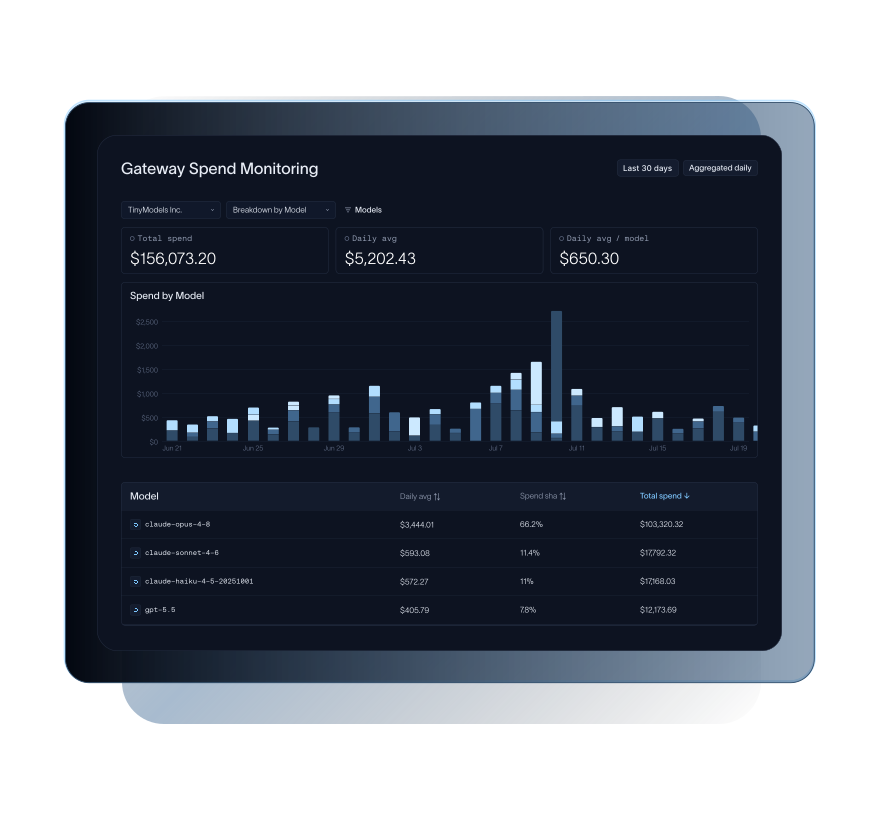
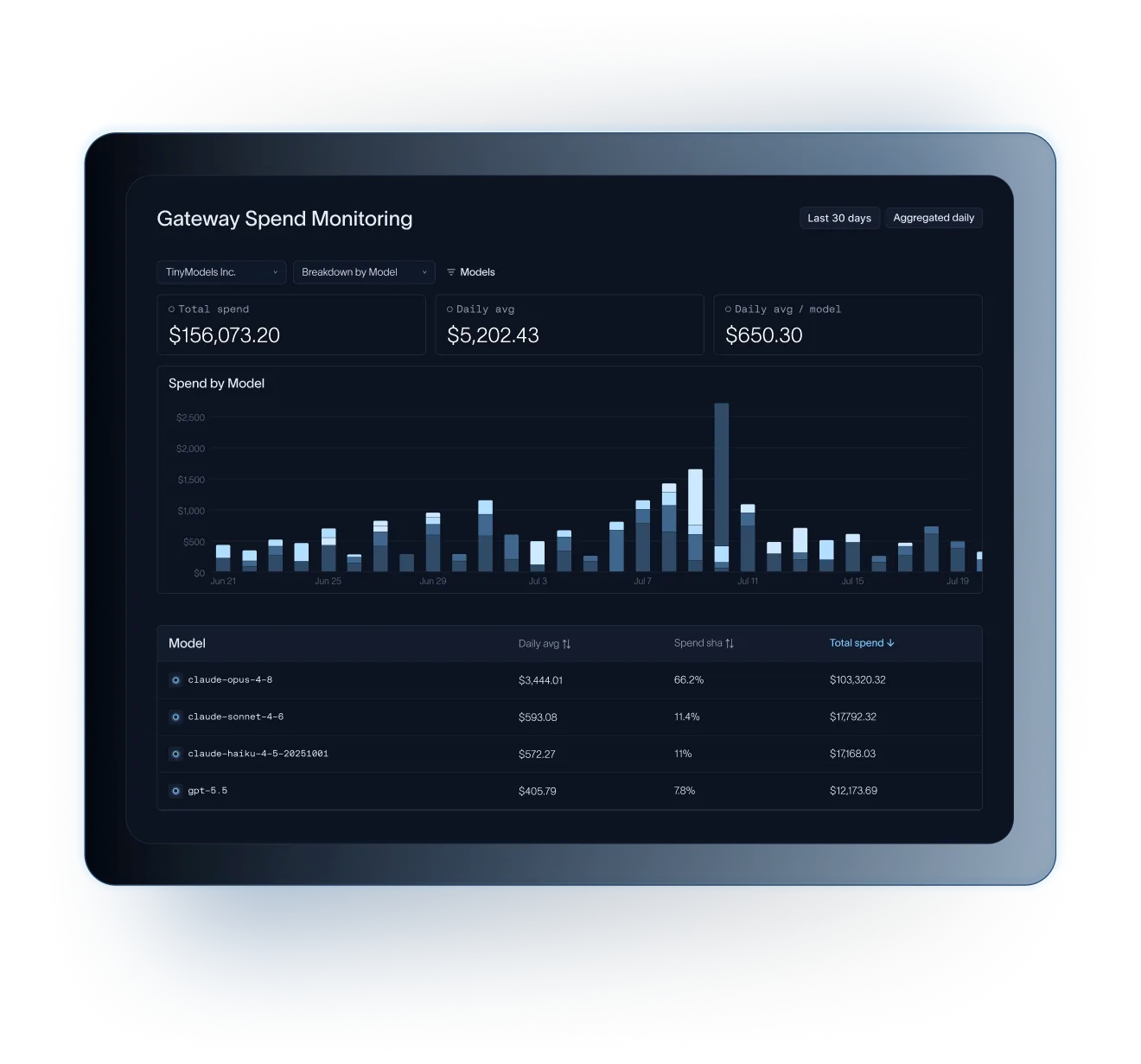
Agent behavior can be hard to predict, and small changes in traffic or tool use can quickly increase model spend. LLM Gateway helps teams monitor usage, set limits, and catch spikes before they become larger problems.
LLM Gateway can:
- Set spending caps for individual or grouped organizations, workspaces, users, and API keys
- Monitor spend at each of these levels in real time
- Record policy violations as traces within LangSmith for later review and resolution
Keep agents running when model providers fail
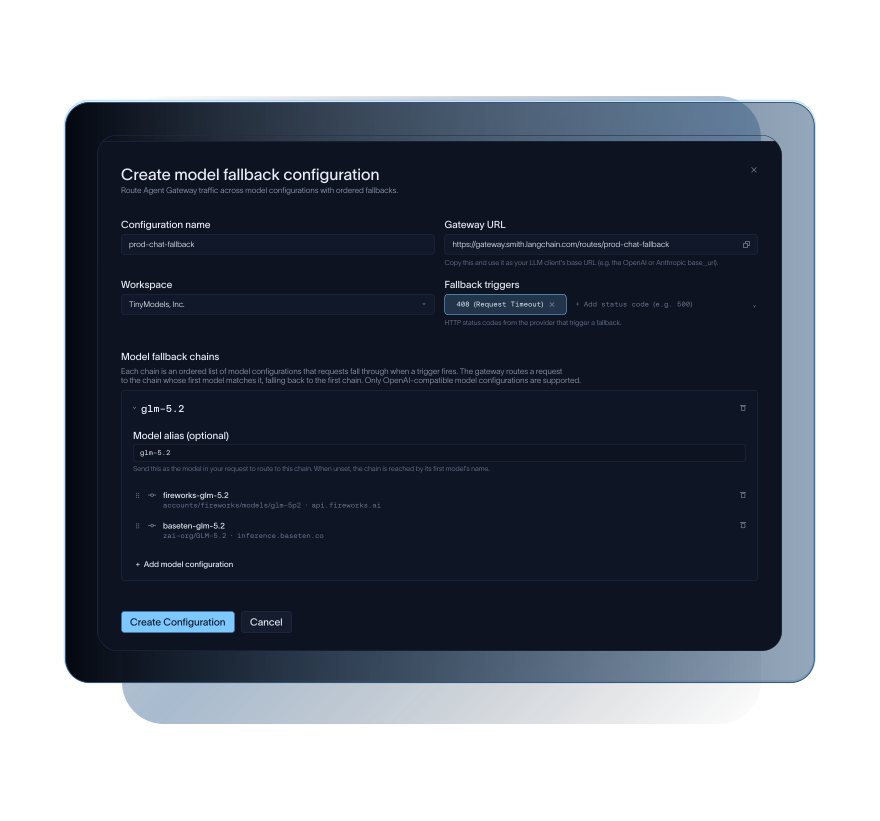
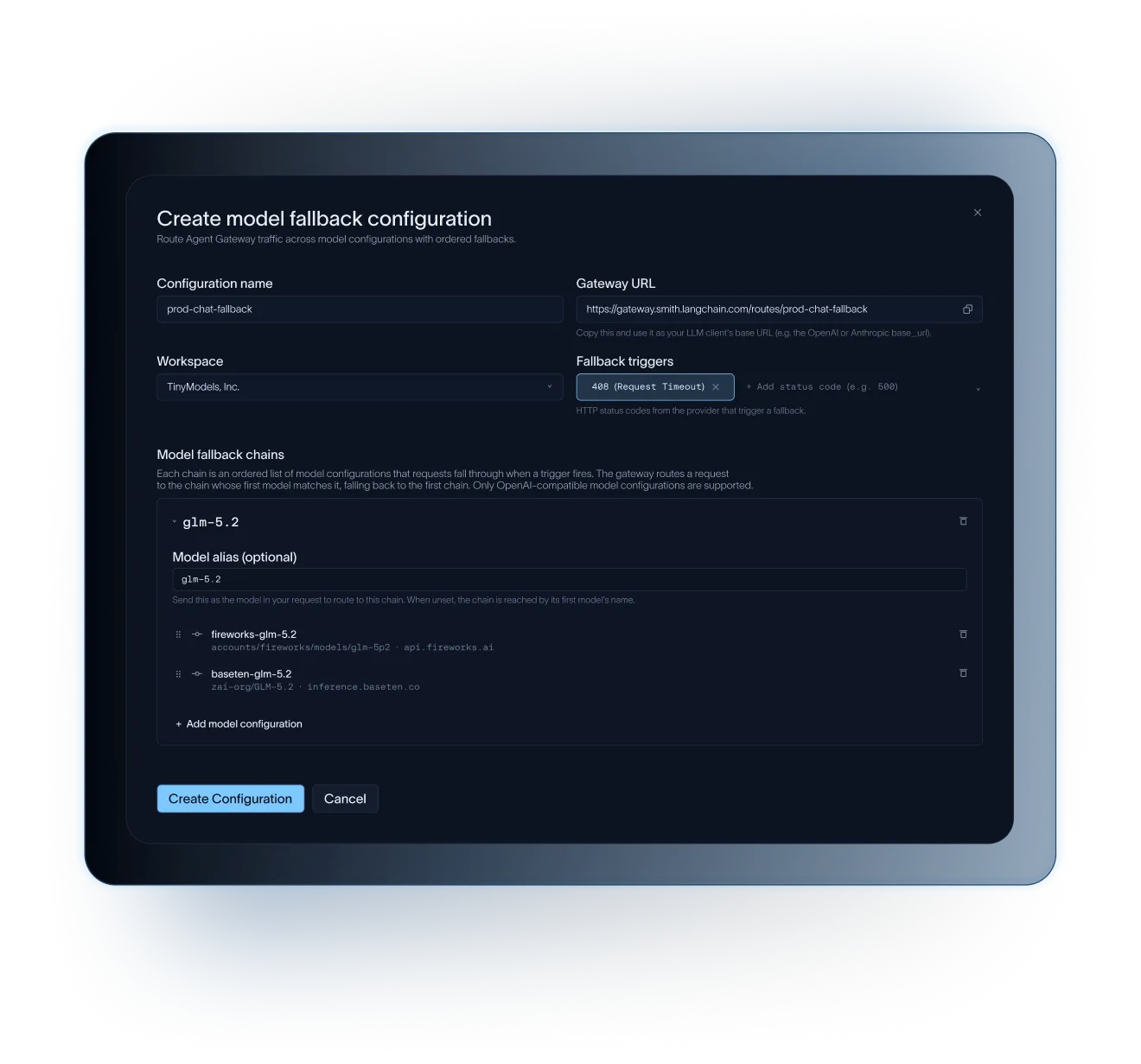
Model outages, rate limits, and spend limits shouldn't take your agents down with them. With LLM Gateway, teams can configure fallback models and automatically reroute requests when the primary provider fails or a policy blocks a call.
LLM Gateway can:
- Set up fallbacks across models, providers, and hosts for high availability
- Trigger fallbacks on configurable criteria like rate limits or spend control violations
- Set rate limits at user, workspace, and API key levels
Keep sensitive data from reaching model providers
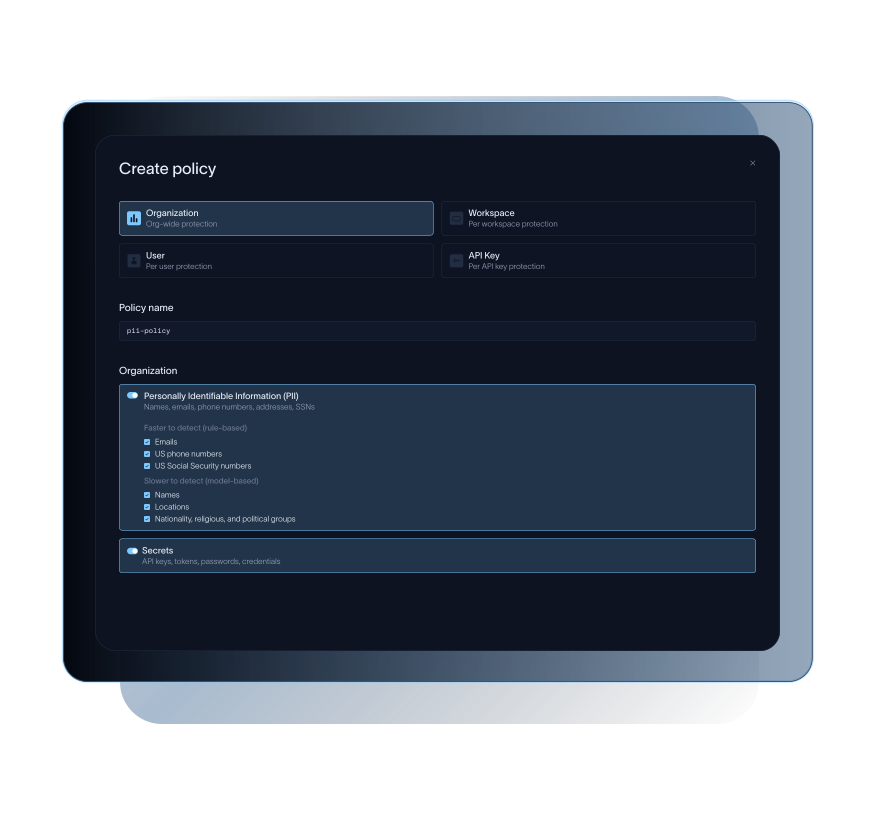
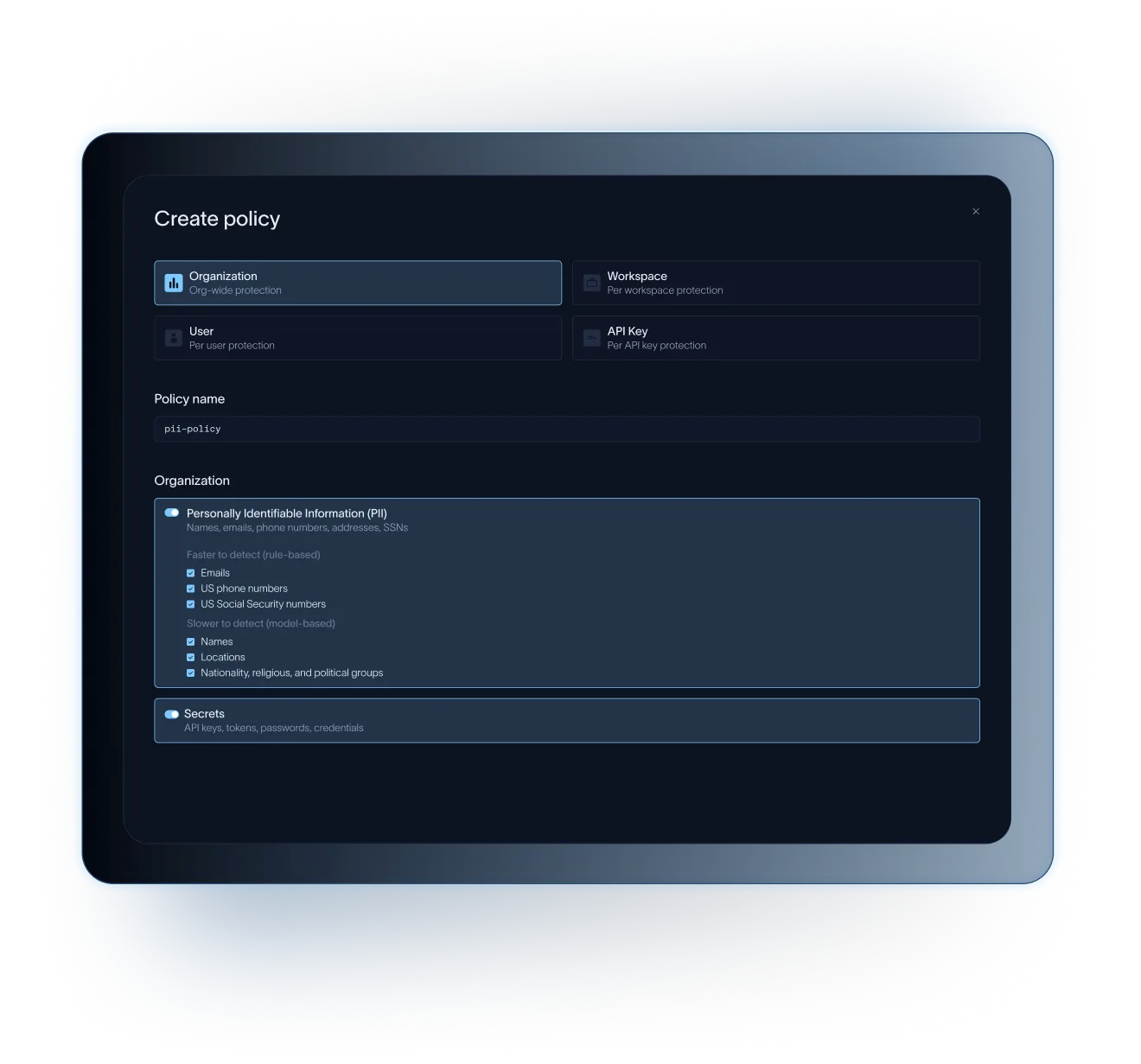
Agents often handle PII, credentials, and other sensitive data that shouldn’t leave your environment. LLM Gateway scans model requests and redacts sensitive data before it reaches the provider, so you can meet data handling requirements without disrupting agent behavior.
LLM Gateway can:
- Detect and redact PII and secrets like tokens, API keys, and social security numbers from model calls
- Restore original values in the model provider’s response, so redaction doesn't break agent functionality
Enforce controls across models
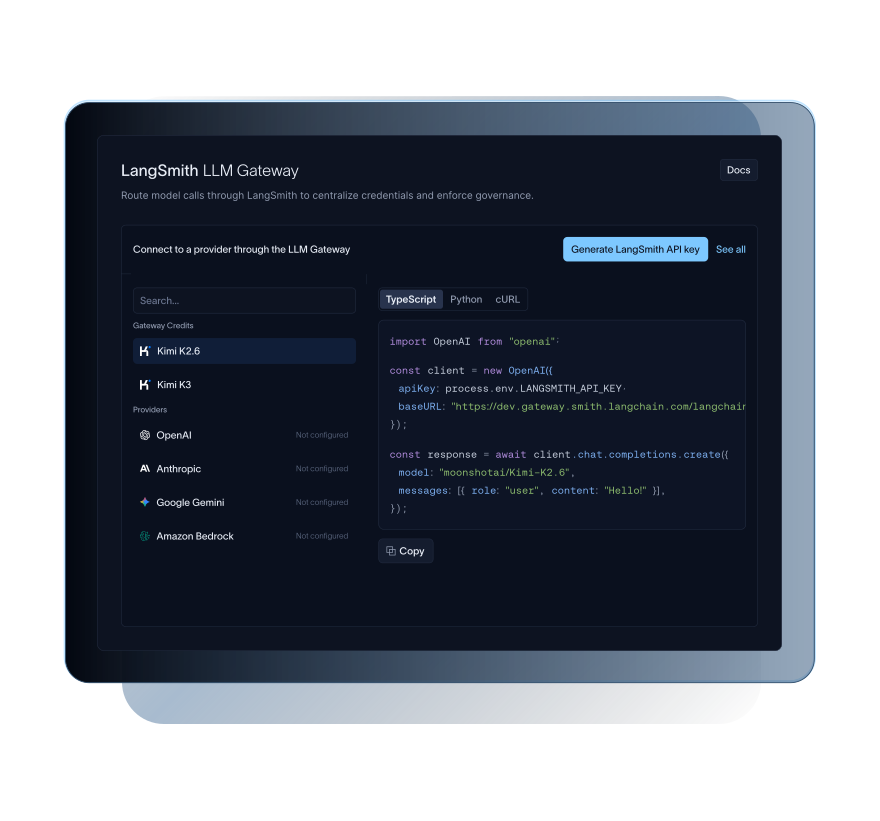
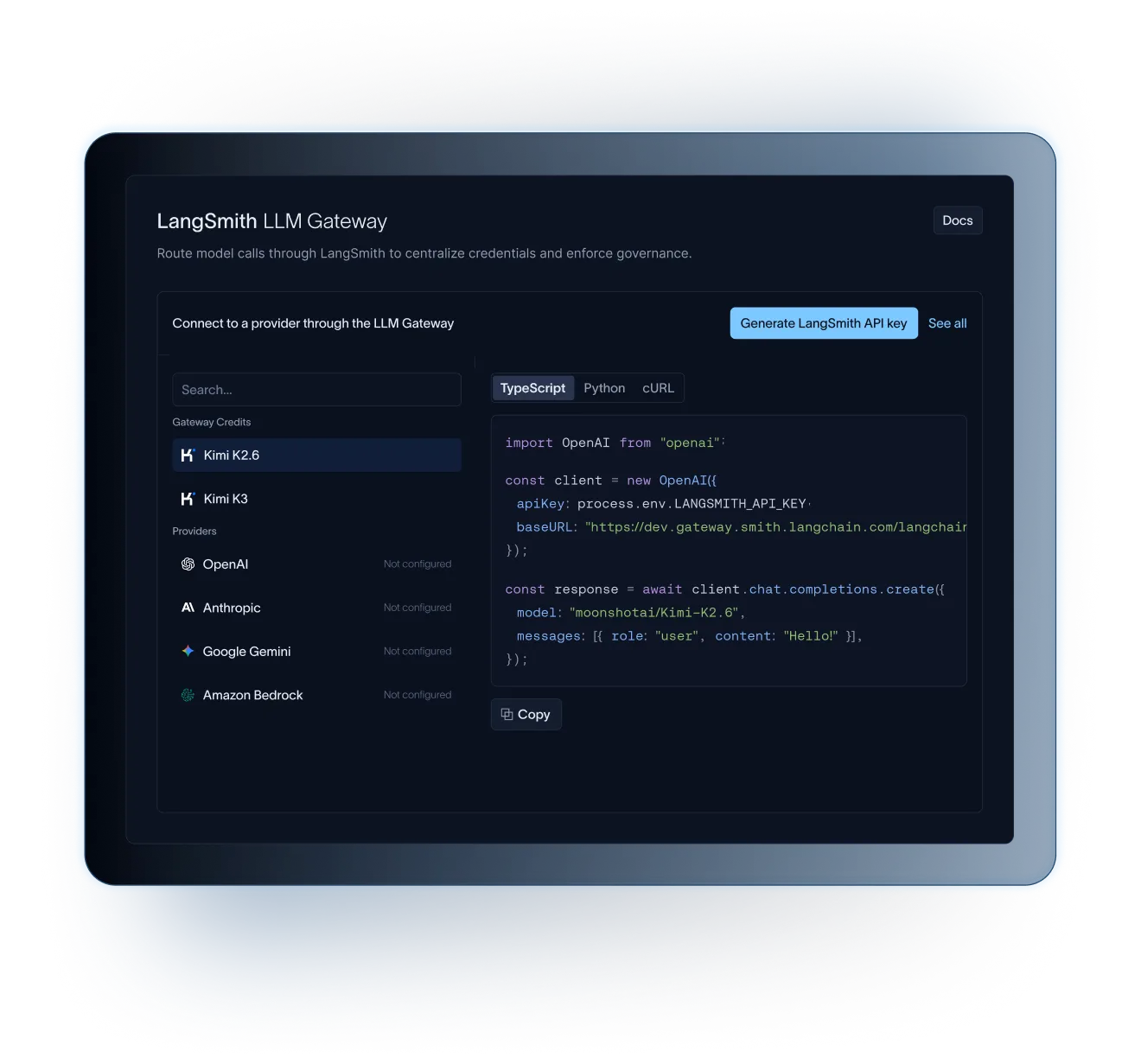
LLM Gateway provides a single interface for routing calls between your agents and model providers, so your controls apply consistently on every call. Choose the best model for each use case while keeping the same governance layer in place.
LLM Gateway can:
- Support a range models with BYO API key or using Gateway Credits for instant access to models powered by Fireworks
- Route calls to commercial providers or custom models using OpenAI- and Anthropic-compatible endpoints
- Extend governance to coding workflows in Claude Code, Codex, Gemini, and Deep Agents Code (dcode)


Resources for LangSmith LLM Gateway



FAQs for LangSmith LLM Gateway
LLM Gateway is currently available in Public Beta. Sign up or log in to LangSmith, where you can configure LLM Gateway by selecting it in the sidebar.
LLM Gateway is currently available with LangSmith Plus and Enterprise plans.
LangSmith LLM Gateway is included with LangSmith Plus and Enterprise plans during Public Beta.
LLM Gateway also offers access to hosted inference powered by Fireworks via Gateway Credits. Credits can be purchased with a credit card and are available on Developer and Plus plans. Pricing details here.
Data Protection controls (PII and secrets detection and redaction) are available to Enterprise customers. If you’re an Enterprise customer and wish to enable Data Protection controls, you can request access here.
Complete GA pricing will be shared closer to general availability.
For SaaS and BYOC customers, LLM Gateway is hosted in LangChain’s datacenters, with regional options spanning NAMER, EMEA, and APAC. Self-hosted LangSmith customers can have LLM Gateway set up as a part of initial implementation, or contact their account representative for enablement instructions.
Point your agents at the LangSmith Gateway endpoint using your LangSmith API key, add your provider keys to workspace secrets, and set your controls in the LangSmith UI. You swap the base_url and keep the rest of your code as-is. There's no separate infrastructure to stand up. Visit the docs for more detail.
LLM Gateway supports Anthropic, AWS Bedrock, Baseten, Fireworks, Google Gemini, Google Vertex AI, and OpenAI out of the box. Gateway also supports any OpenAI- and Anthropic-compatible endpoints, such as self-hosted OSS models served through an inference server.
We will not train on your data, and you own all rights to your data. See LangSmith’s Terms of Service for more information.